AI-Powered Tax Management
Snap, Sort, and Save on Taxes Effortlessly.
Snap receipts, track mileage, and export tax-ready reports.

Trusted by people who work for themselves
Features
Everything You Need
at Tax Time.
Built for anyone who wants to spend less time on taxes and keep more of what they earn.
AI Receipt Scanning
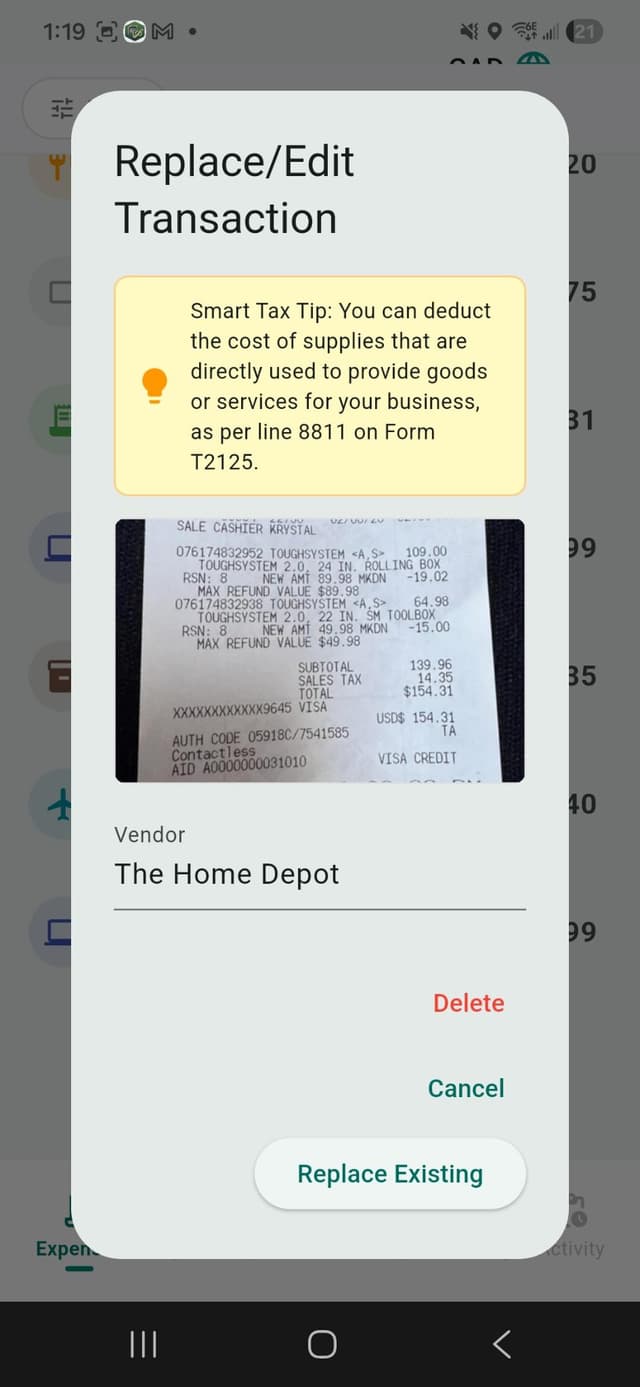
Snap a photo and our AI instantly reads the merchant, subtotal, HST/GST/sales tax, and total — categorizes and stores it automatically. No manual entry ever.
GPS Mileage Tracking
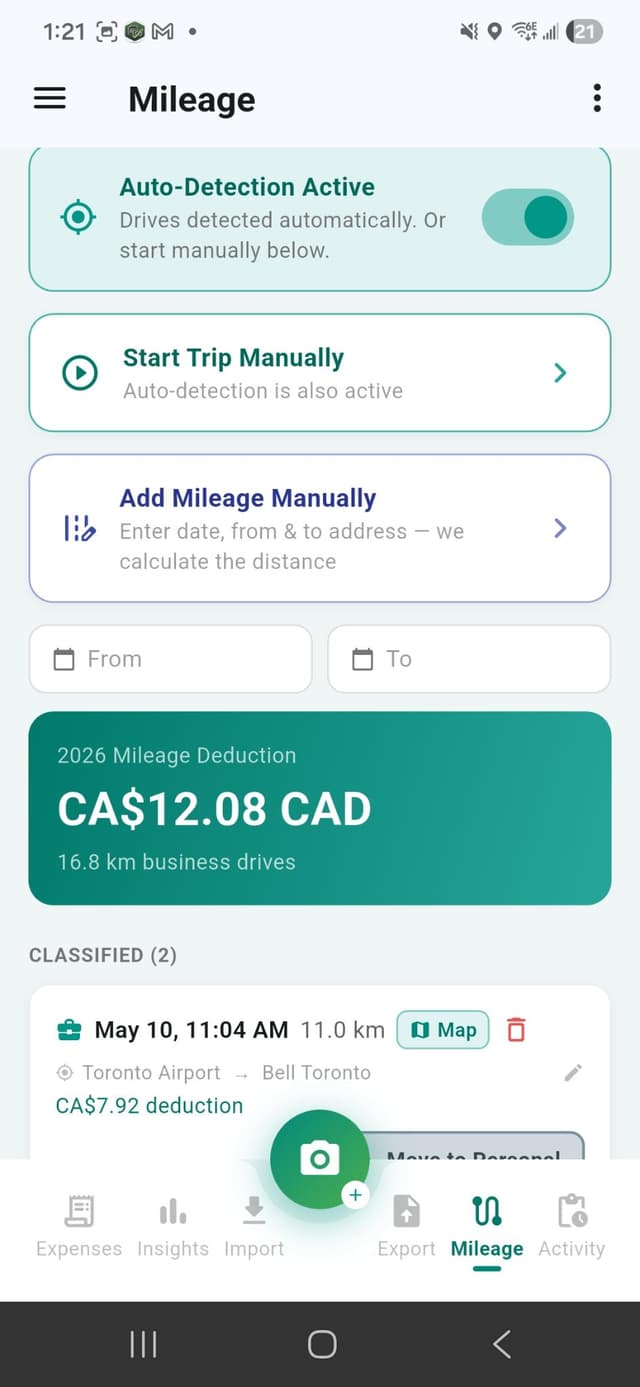
Automatically track every business trip with GPS. Every kilometer counts toward your deductions.
Smart Expense Sorting
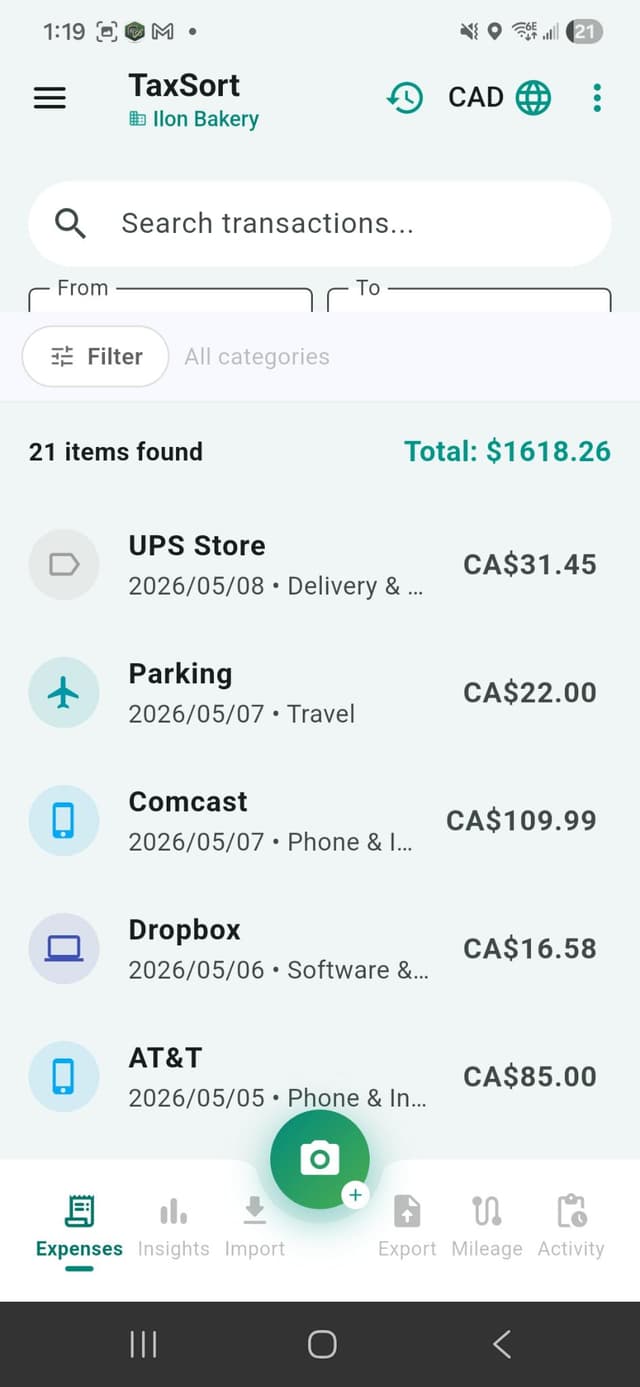
AI automatically categorizes expenses into IRS and CRA-approved tax categories.
Audit-Ready Export
Generate PDF, CSV & ZIP reports in one tap. Includes a Tax/HST column per expense and a total HST/GST paid summary for Canadian ITC claims.
Secure Cloud Backup
All your receipts and data are encrypted and backed up securely 24/7. Never lose a record.
Real-Time Savings
Watch your estimated tax savings grow as you add expenses throughout the year.
Multi-Business Support
Manage expenses for multiple businesses or side hustles from one app. Separate reports and deductions per business.
Smart Search
Find any receipt instantly with full-text search across all your stored receipts and expenses.
Spending Insights
See exactly where your money goes with interactive pie charts broken down by tax category. Switch between total spending and deductible-only view for any year.
How It Works
Four Steps to Tax-Ready
Tax season used to be stressful. Not anymore.
Snap
📸Take a photo of any receipt. Our AI reads the merchant, subtotal, HST/GST/sales tax, total, and category instantly — no manual entry.
Sort
🗂️Expenses are automatically organized into IRS and CRA-approved tax categories. Review and edit in seconds.
Track
📍Every business drive is logged automatically with GPS. Every kilometre counts toward your deductions.
Export
📤Generate audit-ready PDF, CSV, or ZIP reports for your accountant in one tap. Tax season, done.
Demo
See TaxSort in Action
Watch how easy it is to snap, sort, and save on taxes.
Pricing
Simple, Honest Pricing
Start free. Upgrade when you need more.
Free
Get started at no cost
- ✓10 AI receipt scans / month
- ✓Basic expense categories
- ✓Manual expense entry
- ✓Basic tax summary
- ✓CSV export
Pro
Full access, billed annually
$3.75 / month · USD · Billed Annually
Less than a coffee a month · Cancel anytime
- ✓Unlimited AI receipt scanning
- ✓HST/GST & sales tax captured per receipt
- ✓Total HST/GST paid summary for ITC claims (🇨🇦)
- ✓Spending Insights with interactive charts
- ✓Unlimited bank & CSV imports
- ✓Unlimited PDF, CSV & ZIP exports
- ✓Full tax summary & transaction history
- ✓Multiple business profiles
- ✓Deduction Health Score
- ✓AI tax tips on every receipt
- ✓Manually add & categorize expenses
- ✓This app is 100% tax deductible
All prices in USD
See full pricing details →FAQ
Frequently Asked Questions
Everything you need to know before getting started.
Is TaxSort free?
Yes. TaxSort has a free plan that includes 10 AI receipt scans per month, GPS mileage tracking, and 1 bank import per month. No credit card required.
Can I cancel anytime?
Yes. Cancel your Pro subscription anytime with no fees or penalties. Your data remains accessible on the Free plan.
Does TaxSort work for US taxes?
Yes. TaxSort fully supports IRS tax categories for American freelancers and self-employed workers filing Schedule C.
What about Canadian taxes?
Yes. TaxSort fully supports CRA tax categories for Canadian freelancers filing T2125. HST/GST paid is tracked separately for ITC claims.
Does it capture HST/GST from receipts?
Yes. Every receipt scan automatically extracts the subtotal, HST/GST or sales tax, and total as separate fields. Canadian users get a total HST/GST paid summary in every export.
Can my accountant access my reports?
Yes. Export PDF or CSV reports and share them directly with your accountant via email or file sharing.
Is my data secure?
All data is encrypted in transit and at rest. We use bank-level security to protect your financial information.
Start Saving on Taxes Today.
Free to download. No credit card required.